Automated Institutional Signing
Streamline your organizational document workflows with automated, tamper-proof digital signatures and seals—no manual intervention required.
A powerful solution for automated document authentication at scale.
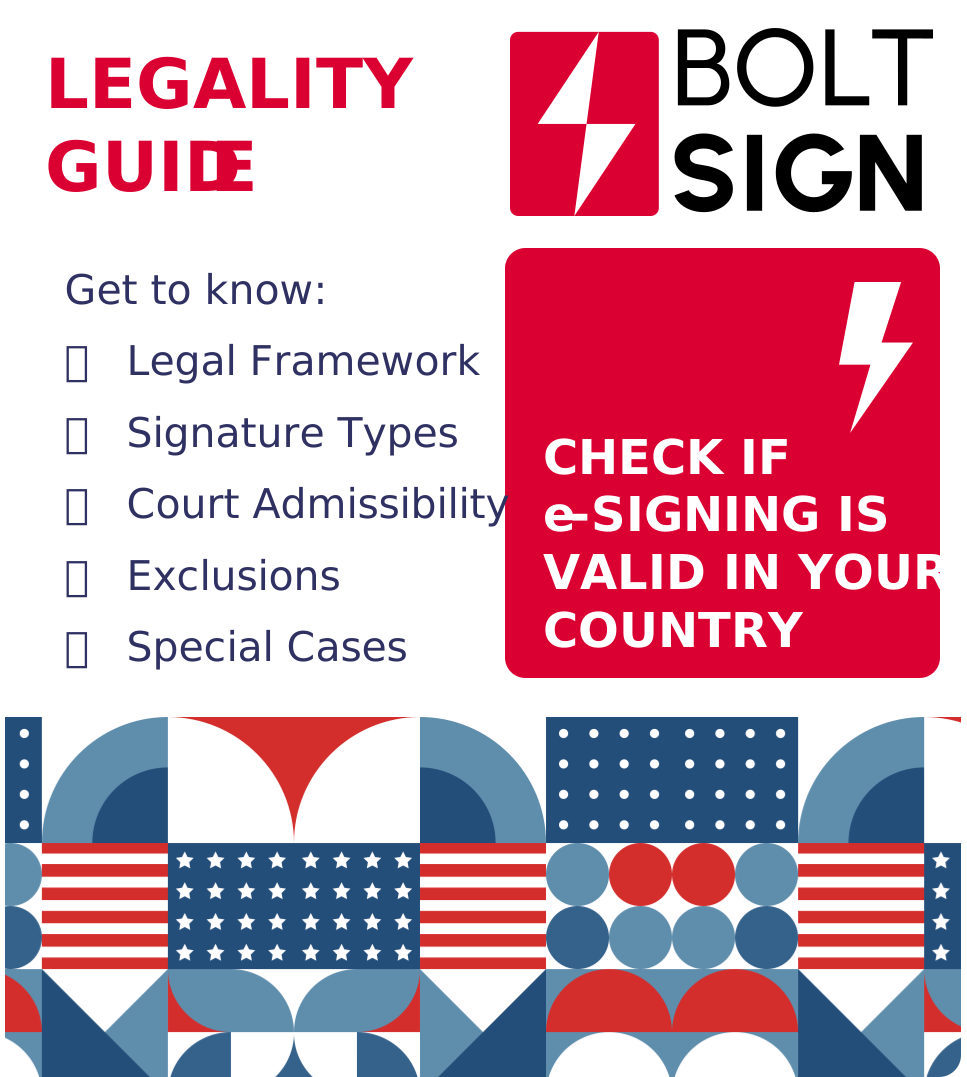
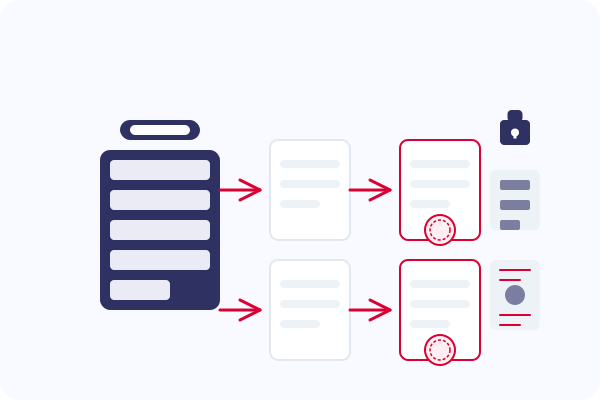
Automated Institutional Signing allows organizations to automatically apply secure, tamper-proof digital signatures or seals to documents generated by their internal systems—without any manual intervention.
Unlike traditional e-signature workflows that require human action, this system is designed for system-to-system document issuance, supporting:
- Round seals (like those used by HR or government agencies)
- Digital Signature Certificates (DSC) for cryptographic signing
- Pre-configured placement rules for visual signature overlays
It's ideal for use cases where documents must carry institutional authenticity and legal validity, but don't require individual user input.
Why It Matters
Solving critical challenges in institutional document issuance
Scale Without Compromise
Organizations today issue thousands of documents—payslips, licenses, certificates, letters—where manual signing is inefficient or impossible at scale.
Regulatory Compliance
Meet the strictest requirements for cryptographic proof of origin, ensuring documents comply with relevant laws and regulations.
Trust & Authenticity
Build customer and recipient trust by embedding verifiable institutional authenticity into every document issued via API.
Key Use Cases
Industry-specific applications for automated institutional signing
| Document Type | Example Use Case |
|---|---|
| Payslips | Auto-seal every payslip with company DSC. Enable employees to verify authenticity via digital signature. |
| Appointment Letters | Automatically sign offer letters with HR director's signature. Include timestamp and company seal for legal validity. |
| Employee Certificates | Auto-generate and sign experience certificates. Apply organization's seal with cryptographic verification. |
| Employment Contracts | Apply authorized signature to employment agreements. Include tamper-evident digital signatures for legal protection. |
| Exit Documents | Automatically generate and sign relieving letters. Ensure compliance with regulatory requirements. |
| Document Type | Example Use Case |
|---|---|
| Driving Licenses | Attach official round stamp and digital signature. Enable verification of authenticity via QR code. |
| Vehicle Registrations | Auto-sign registration certificates with transport authority seal. Include cryptographic signature for verification. |
| Permits & Certificates | Apply government seal and authorized signature automatically. Ensure tamper-proof document verification. |
| ID Documents | Digitally sign identity documents with agency credentials. Embed cryptographic proof of authenticity. |
| Official Letters | Auto-sign notification letters and government communications. Apply department seal and official signature. |
| Document Type | Example Use Case |
|---|---|
| Trade Licenses | Auto-sign PDF license with official seal. Enable businesses to instantly receive authenticated documents. |
| NOC Certificates | Apply authority signature to No Objection Certificates. Include timestamp and verification mechanism. |
| Export Certificates | Automatically apply customs authority seal and signature. Provide verifiable proof of origin for trade documents. |
| Business Permits | Auto-sign business operation permits with zone authority seal. Embed digital signature for verification at border control. |
| Commercial Invoices | Apply trade authority authentication to invoices. Ensure legal validity for cross-border transactions. |
| Document Type | Example Use Case |
|---|---|
| Degree Certificates | Apply digital certification and visual seal of the institution. Enable graduates to verify authenticity via QR code. |
| Transcripts | Auto-sign academic records with registrar's signature. Include tamper-evident digital signature for verification. |
| Course Certificates | Automatically sign course completion certificates. Apply institution seal for authenticity verification. |
| Transfer Letters | Digitally sign student transfer documents. Include cryptographic proof of issuing institution. |
| Enrollment Confirmations | Auto-generate and sign enrollment verification documents. Apply institutional seal and authorized signature. |
| Document Type | Example Use Case |
|---|---|
| Account Statements | Add institution's seal and secure signature automatically. Enable verification via online portal or document PIN. |
| Tax Documents | Apply financial institution's seal to tax certificates. Include cryptographic signature for legal validity. |
| Loan Approvals | Automatically sign loan documents with authorized signatures. Include bank seal and verification method. |
| Investment Certificates | Auto-sign investment proof documents with institution seal. Apply digital signature for authenticity verification. |
| Financial Advices | Digitally sign advisory documents with company credentials. Include timestamp and secure validation mechanism. |
How It Works
A seamless, automated workflow for institutional document signing
Profile Setup
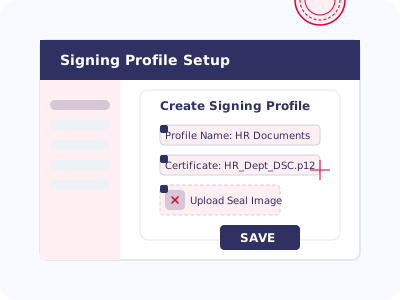
Organization admin sets up a Signing Profile via UI or API:
- Uploads seal image (PNG, SVG, etc.)
- Selects certificate (DSC or connected CA)
- Defines placement logic (coordinates or keyword-based)
- Configures trigger rules (e.g., document type, filename pattern)
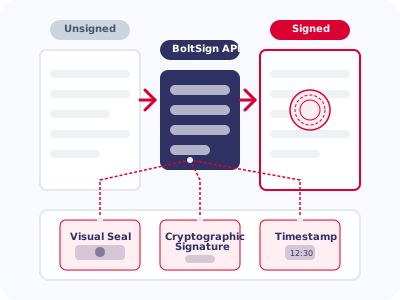
Document Push
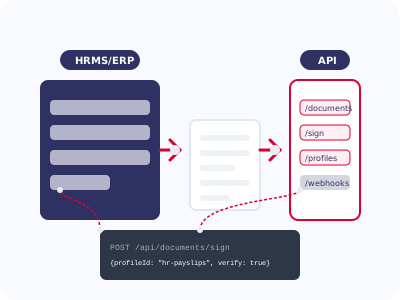
A backend system (e.g., HRMS, ERP, License System) sends a document to the signing API with the profile ID or auto-routing key.
Auto Signing
The engine applies:
- Visual seal (overlay)
- Cryptographic signature using a DSC
- Optional timestamp
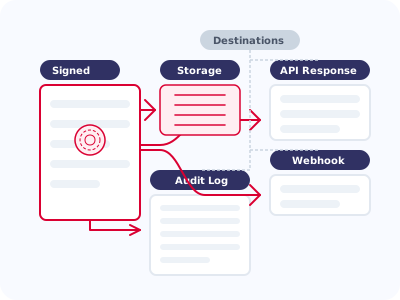
Delivery
The signed PDF is returned via API response or webhook.
Audit log is recorded for verification.
Security & Compliance
Enterprise-grade security for your institutional signing needs
PKI-Based Certificates
Uses PKI-based Digital Signature Certificates (USB token or cloud DSC)
HSM Integration
Optional HSM (Hardware Security Module) integration for enterprise-grade security
Timestamping
Timestamping and certificate revocation support (OCSP/CRL)
Audit Trail
Full audit trail for compliance and traceability
Online Electronic Verification
Enable recipients to verify document authenticity instantly
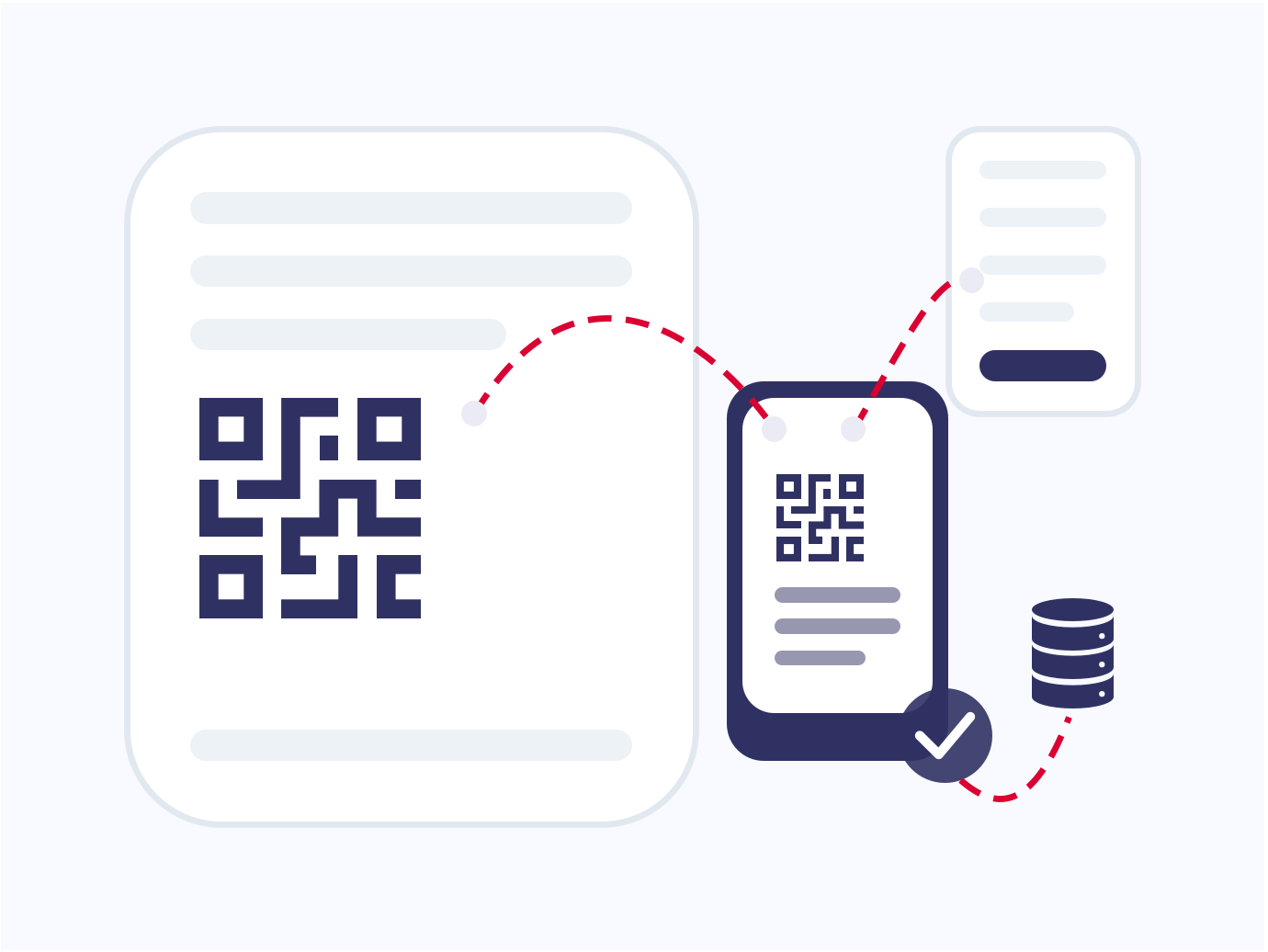
QR Code Verification
Each signed document can include an embedded QR code that recipients can scan with their smartphone to verify its authenticity in real-time.
- Instant verification without special software
- Direct link to online verification portal
- Customizable QR code placement on documents
- Shows document metadata and signing timestamp
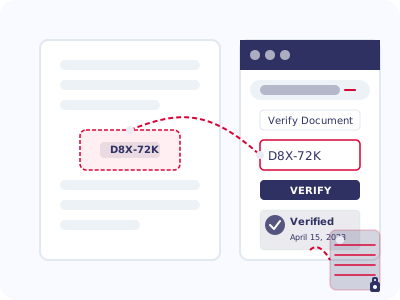
Document PIN Verification
Each document is assigned a unique PIN that can be used on your verification portal to confirm its authenticity and access verification details.
- Unique alphanumeric code for each document
- Web-based verification through your branded portal
- Access to complete document verification history
- Option to restrict verification to authorized parties
Enhanced Trust
Build recipient confidence with easy verification options that confirm document authenticity.
Instant Validation
Enable real-time verification without delays or manual authentication processes.
Fraud Prevention
Protect against document tampering with cryptographically secure verification.
Who Is It For?
Organizations that benefit most from automated institutional signing
Mid-to-Large Enterprises
With automated workflows requiring official signatures at scale
Government Agencies
Issuing official documents and certificates with legal validity
Payroll & HR Platforms
Generating authenticated employee documents automatically
Educational Institutions
Issuing degrees, transcripts, and certifications
SaaS Vendors
Integrating document generation and signing at scale
Legal & Compliance Teams
Ensuring document authenticity and regulatory compliance
Key Benefits
Transform your document processes with automated institutional signing
Zero Manual Effort
Eliminate manual signing for high-volume, official documents
Legal Compliance
Legally compliant digital signing (IT Act, eIDAS, etc.)
API-First Automation
Full system integration for seamless document workflows
Brand Alignment
Brand-aligned visual trust with custom seal overlays
Auditability
Transparency and traceability for every document issued
Frequently Asked Questions
Common questions about Automated Institutional Signing
What types of documents can be automatically signed?
Any PDF document can be automatically signed, including but not limited to payslips, certificates, licenses, permits, statements, transcripts, and more. The system can also convert common formats like Word, Excel, and images to PDF before signing.
How is security maintained with automated signing?
We implement multiple security layers: cryptographic signatures using Digital Signature Certificates (DSC), optional Hardware Security Module (HSM) integration, secure API access with authentication, and comprehensive audit logs. All signatures are compliant with global e-signature regulations.
Can we use our existing Digital Signature Certificates?
Yes, BoltSign supports integration with your existing DSCs, whether they are USB token-based or cloud-based. We also offer guidance on obtaining new certificates if needed.
How does the API integration work?
Our RESTful API allows seamless integration with your existing systems. You can send documents for signing via API calls, specify the signing profile to use, and receive the signed document back immediately or via webhook. Comprehensive API documentation and SDKs are available for major programming languages.
Is this feature available on all pricing plans?
Automated Institutional Signing is available on Enterprise and Custom plans. These plans include advanced features like API access, HSM integration, and volume-based document processing.